

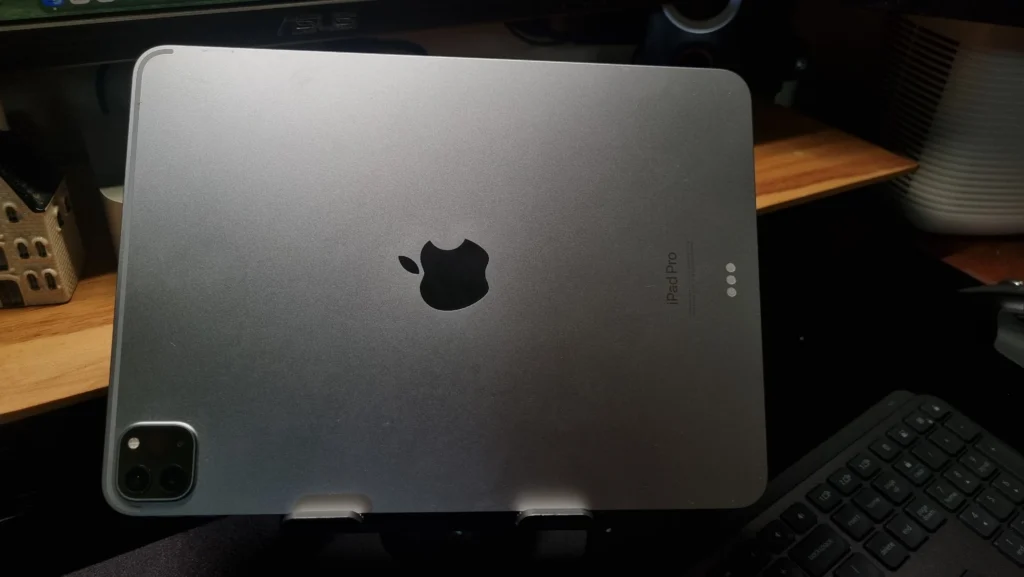

If you’re looking for a tablet whose performance can beat a laptop, the iPad Pro M2 is one of the strongest candidates. Apple didn’t really change its design much from the M1 version, but the internals have been made much faster. Let’s get straight into what makes this tablet interesting.
Design and Display That Delight the Eyes
Physically, the iPad Pro M2 is exactly the same as the previous generation. Still premium, thin, and comfortable to hold. There are two display variants: 11 inches and 12.9 inches.
The difference in display quality is quite significant. If you get the 12.9-inch version, you get a Liquid Retina XDR (Mini-LED) display with deep contrast and blacks, perfect for those who like color grading videos or watching HDR movies. The 11-inch version still uses a regular Liquid Retina display, but still has a 120Hz refresh rate (ProMotion) which makes scrolling super smooth.
The “Overkill” Performance of the M2 Chip
Here’s the star of the show. The M2 chip makes this iPad feel overkill if only used for browsing or watching YouTube. This tablet is truly designed for heavy work. Opening heavy graphic design apps (like Procreate), rendering 4K video in LumaFusion or DaVinci Resolve, even playing games with maxed-out graphics, everything is handled effortlessly.
One exclusive feature that comes with this chip is the Apple Pencil Hover. The screen can detect the Apple Pencil from a distance of 12mm before the tip touches the screen. This feature is very helpful for illustrators to see a preview of their strokes before actually drawing.
Camera and Battery Life
Cameras on tablets are usually just okay, but on the iPad Pro M2 it’s different. The rear camera is sharp enough for scanning documents or taking emergency reference photos, complete with a LiDAR sensor for Augmented Reality (AR) purposes. The front camera also has the Center Stage feature, where the camera will automatically follow your movements during a video call.
For battery, Apple claims it can last around 10 hours for regular use (watching videos or browsing using Wi-Fi). When used for rendering or heavy gaming, it will certainly drain faster, but overall it’s still plenty reliable for a full day of work.
Complete Specifications of the iPad Pro M2
For more clarity, check the detailed specifications in the following table:
| Specification | iPad Pro M2 (11 Inch) | iPad Pro M2 (12.9 Inch) |
|---|---|---|
| Chipset | Apple M2 (8-core CPU, 10-core GPU) | Apple M2 (8-core CPU, 10-core GPU) |
| Display | 11″ Liquid Retina (LED), 120Hz ProMotion | 12.9″ Liquid Retina XDR (Mini-LED), 120Hz ProMotion |
| RAM | 8 GB / 16 GB | 8 GB / 16 GB |
| Storage | 128GB, 256GB, 512GB, 1TB, 2TB | 128GB, 256GB, 512GB, 1TB, 2TB |
| Rear Camera | 12 MP (Wide) + 10 MP (Ultrawide) + LiDAR | 12 MP (Wide) + 10 MP (Ultrawide) + LiDAR |
| Front Camera | 12 MP Ultrawide with Center Stage | 12 MP Ultrawide with Center Stage |
| Connectivity | Wi-Fi 6E, Bluetooth 5.3, Optional 5G | Wi-Fi 6E, Bluetooth 5.3, Optional 5G |
| Battery | 28.65 Wh (Claimed up to 10 hours) | 40.88 Wh (Claimed up to 10 hours) |
| Port & Others | USB-C (Thunderbolt / USB 4), Face ID | USB-C (Thunderbolt / USB 4), Face ID |
Conclusion: Is It Worth It?
If you are currently using an old iPad version or haven’t owned an iPad at all and need a tablet for professional needs, the iPad Pro M2 is very worth it. Its performance will remain relevant for years to come. However, if you already happen to own an iPad Pro M1, upgrading to the M2 might not feel significantly different, unless you truly need the extra GPU power or the Hover feature for drawing.