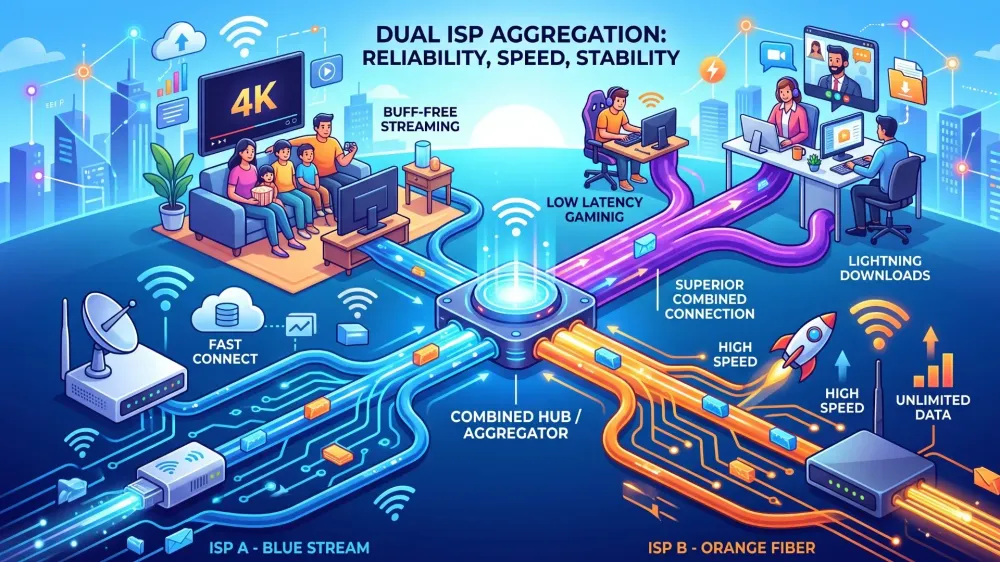
Have you ever experienced an annoying moment when you're in the middle of remote work, an important Zoom meeting, or playing online games, and suddenly your home internet dies completely? For those who rely heavily on daily internet connections, an issue with just one provider can disrupt all your activities.
To avoid this problem, many people are starting to subscribe to two internet providers (ISPs) at once. The question is, can both internet lines be combined into one home Wi-Fi network? The answer is, yes, absolutely.
How to Combine Two ISPs into One?
Technically, you cannot simply connect two modem cables to a regular router. You need a special device called a Dual WAN Router or Load Balancer.
This device acts as the main traffic controller. LAN cables from the first ISP modem and the second ISP modem will be plugged into this router. Then, this router distributes Wi-Fi signals or wired connections to all devices in your home.
Two ISP Combination Methods You Can Choose
When using a Dual WAN router, there are two main modes you can use according to your needs:
- Failover Mode (Auto Backup): The first ISP line functions as the main connection, while the second ISP stands by. If the first ISP experiences an outage, the router will automatically shift the entire connection to the second ISP within seconds.
- Load Balancing Mode: Both ISPs are used simultaneously. The router divides the traffic load proportionally between each provider so that the home network does not pile up on a single line.
Router Device Options You Can Use
The choice of router depends heavily on your technical skill level and budget. Here are some common types of routers:
| Router Type | Advantages | Example Devices |
|---|---|---|
| Dual WAN Wi-Fi Router | Practical, has built-in Wi-Fi, and easy to configure via phone. | Ruijie Reyee RG-EW3000GX PRO, ASUS RT-AX58U |
| Pure Load Balancer Router | Focuses only on balancing network load, affordable price. | TP-Link ER605 |
| MikroTik | Very complete features and free to customize as desired. | MikroTik hEX (RB750Gr3) |
What If the Speeds of the Two ISPs Are Different?
Suppose you subscribe to ISP A with a speed of 200 Mbps and ISP B with a speed of 100 Mbps. The total bandwidth capacity of your home network does indeed become 300 Mbps.
However, keep in mind, this combination does not automatically make the download speed of a single file in the browser immediately jump to 300 Mbps. The load distribution system works per connection session. The main benefit is felt when many devices are used simultaneously, for example, a laptop is downloading a large file via ISP A, while a smart TV and phone continue streaming smoothly via ISP B without fighting over bandwidth.
A Few Things to Consider
Although it provides extraordinary connection protection, there are a few small drawbacks that you still need to understand before installing it:
- Mobile Banking Security Features: Because data traffic uses two providers, the external IP address can change from time to time. Some sensitive mobile banking or financial apps sometimes log themselves out if they detect an IP change. The solution is to set custom rules (policy routing) so that financial applications always go through the same ISP.
- Brief Pause During Transition: When one ISP completely dies, the router takes a few seconds to detect the loss of signal before switching to the backup ISP.
- Operational Costs: You have to pay two monthly bills from two different internet service providers.
Conclusion
Combining 2 ISPs into 1 network is the most powerful solution to create a stable and uninterrupted internet connection for home or office. With the help of a Dual WAN router, you can work and enjoy entertainment without having to worry about losing connection when one ISP is having problems.