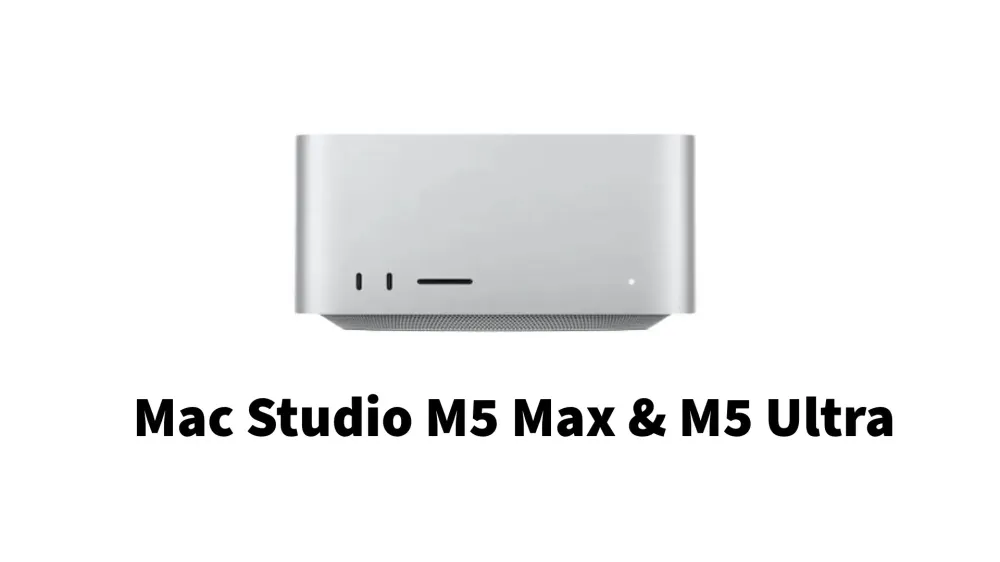
Apple has released the latest generation of their professional desktop PCs: Mac Studio with M5 Max and M5 Ultra chips. This move clarifies the direction of Apple's future computing, which not only focuses on heavy 3D rendering or video editing, but also on the local artificial intelligence (AI) ecosystem.
For content creators, software developers, AI researchers, and power users, this latest Mac Studio offers a significant performance leap.
Compact Design with Monster Power
Visually, Apple retains the signature Mac Studio design language: a thick, square aluminum block that fits neatly beneath a monitor. Its relatively compact form is maintained because the power efficiency of Apple Silicon allows the built-in cooling system to work without needing a giant tower casing.
The internal cooling system uses a dual airflow path that draws air from the bottom and exhausts it out the back through precision ventilation holes. As a result, when handling heavy workloads like large-scale code compilation or 3D animation rendering, fan noise remains well-controlled.
The main advantage of the M5 Mac Studio lies in internal architectural updates, especially its focus on the graphics processing unit (GPU) paired with artificial intelligence accelerators (Neural Accelerators) directly within each GPU core.
M5 Max Chip: The New Standard for Professional Desktops
The entry-level Mac Studio variant is powered by the M5 Max chip. Featuring an 18-core CPU consisting of a combination of high-performance cores (super cores) and efficiency cores, this chip is designed to handle various daily professional tasks without obstacles.
For graphics processing, the M5 Max is equipped with up to a 40-core GPU. Its GPU performance leap is claimed to be up to 50% faster than the previous generation. Supported by memory bandwidth of up to 614 GB/s and integrated memory options (unified memory) up to 128 GB, users can open dozens of heavy applications simultaneously without worrying about running out of memory (out of memory).
Users such as videographers working with ProRes 8K formats, 3D fashion designers, and software engineers compiling millions of lines of code will feel a noticeable increase in responsiveness.
M5 Ultra Chip: Computing Monster for Local AI
For users needing uncompromising performance, the M5 Ultra offers specifications on a different level. Built by fusing two M5 Max chips via high-speed interconnect technology, the M5 Ultra delivers up to a 36-core CPU and 80-core GPU.
The biggest upgrade in the Ultra variant is its support for integrated RAM capacity up to 512 GB with fantastic memory bandwidth reaching 1.2 TB/s.
Why is such a large integrated RAM capacity important?
- Running LLMs (Large Language Models) Locally: With 512 GB of RAM, you can run giant-sized AI models entirely on-device without depending on cloud services. This provides advantages in data privacy and the absence of cloud API subscription fees.
- Clustering Multiple Mac Studios: Apple introduces clustering features via Thunderbolt 5 and RDMA. You can combine up to four Mac Studio M5 Ultra units to share memory and joint AI computing power.
- High-End Film Production Workflow: Capable of handling dozens of 8K ProRes video streams simultaneously without rendering bottlenecks.
Connectivity Features and Latest Ecosystem
Apple equips the M5 generation Mac Studio with a range of ports and the latest connectivity standards to meet modern workstation needs:
- Thunderbolt 5: Offers data transfer speeds up to 120 Gbps, facilitating connections to ultra-fast external storage.
- Multiple Display Support: Capable of driving up to 8 external displays simultaneously, or 4 Studio Display XDR screens at 5K resolution with a 120Hz refresh rate.
- Latest Wireless Connectivity: Equipped with a custom N1 chip supporting Wi-Fi 7 and Bluetooth 6.
- Fast Internal Storage: SSD read/write speeds are now twice as fast thanks to PCIe Gen 6 interface support.
Complete Mac Studio M5 Series Specification Table
Here is the technical specification comparison between the Mac Studio M5 Max and Mac Studio M5 Ultra:
| Feature / Specification | Mac Studio M5 Max | Mac Studio M5 Ultra |
|---|---|---|
| CPU Configuration | 18-Core (6 Super Cores, 12 Performance Cores) | 36-Core (12 Super Cores, 24 Performance Cores) |
| GPU Configuration | Up to 40-Core (equipped with Neural Accelerator) | Up to 80-Core (equipped with Neural Accelerator) |
| Unified Memory (RAM) | 36 GB to 128 GB options | 96 GB to 512 GB options |
| Memory Bandwidth | Up to 614 GB/s | Up to 1.2 TB/s (1,200 GB/s) |
| Storage Capacity | 512 GB to 8 TB SSD (PCIe Gen 6) | 1 TB to 8 TB SSD (PCIe Gen 6) |
| Main Ports | Thunderbolt 5, USB-C, HDMI, SDXC, 10Gb Ethernet | Thunderbolt 5, USB-C, HDMI, SDXC, 10Gb Ethernet |
| Display Support | Up to 5-6 External Displays | Up to 8 External Displays / 4x 5K 120Hz |
| Wireless | Wi-Fi 7, Bluetooth 6 (Apple N1 Chip) | Wi-Fi 7, Bluetooth 6 (Apple N1 Chip) |
| Starting Price (MSRP) | Starting from $2,499 USD | Starting from $5,499 USD |
Who Needs to Upgrade?
Mac Studio with M5 Max and M5 Ultra chips is not a computer designed merely for typing documents, browsing, or watching streaming videos. This PC is a workstation investment tool for high-performance professionals.
- Highly Recommended For: AI/ML Developers, Data Researchers, 3D/VFX Animators, 8K Video Editors, and professional Music Studios.
- Less Suitable For: Daily users or casual gamers. For this segment, the M-Series Mac mini or MacBook Air lineup is more than enough to meet daily needs.
The presence of a built-in Neural Accelerator in the GPU and support for up to 512 GB of RAM reinforces the Mac Studio M5 Ultra's position as one of the strongest local desktop workstations for the modern AI era.
Via : Apple