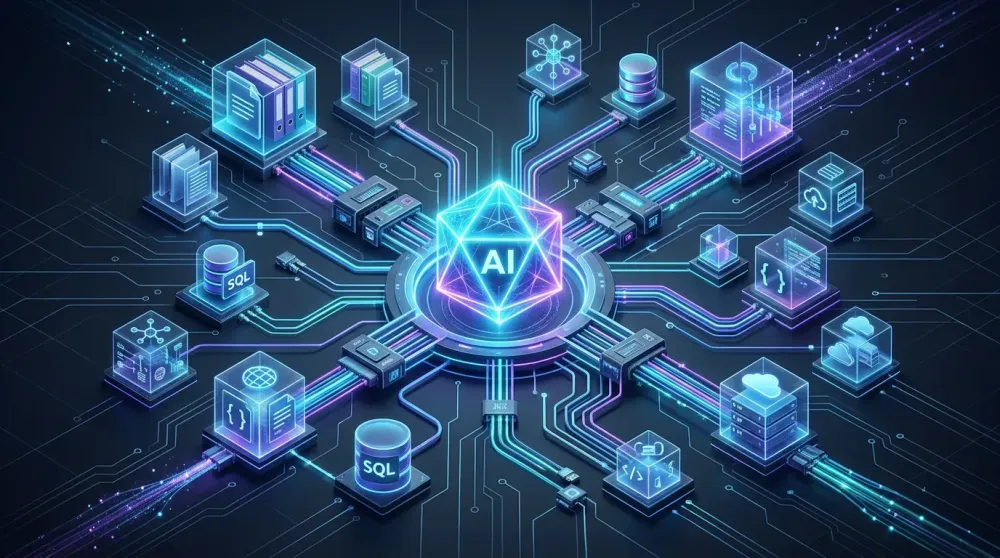
Over the past few years, the integration of Large Language Models (LLMs) into software applications has always faced a fundamental problem: the fragmentation of data and function connectivity [1, 2]. When developers want to connect artificial intelligence assistants to a PostgreSQL database, a GitHub repository, a Jira ticketing system, or local files on a computer, they are forced to write custom glue code for every single platform combination [4, 5].
This condition gave birth to a revolutionary initiative now widely adopted by the global developer community and open standardization bodies: Model Context Protocol (MCP) [1, 3]. Often dubbed the "USB-C port for AI systems", MCP emerges as an open protocol that standardizes how AI agents communicate securely, modularly, and bidirectionally with the external world [4, 6].
1. Resolving the $N \times M$ Fragmentation Paradox
Before MCP, the artificial intelligence software ecosystem was trapped in the trap of $N \times M$ multiplicative complexity [4, 5]:
  BEFORE MCP (N x M Complexity):
  [AI Model / Client]                         [Data Source / Tools]
  ┌───────────────┐                             ┌───────────────┐
  │ Claude Desktop├─────────(Custom Connector)──► PostgreSQL    │
  │ Cursor IDE    ├─────────(Custom Connector)──► GitHub API    │
  │ Custom Agent  ├───────(Different JSON Schema)► Slack API     │
  │ VS Code AI    ├─────────(Custom Connector)──► Local Files   │
  └───────────────┘                             └───────────────┘
  Each AI client must write its own separate integration for every external tool.

  AFTER MCP (Universal N + M Standard):
  [AI Model / Client]       [MCP Open Protocol]         [MCP Servers]
  ┌───────────────┐                                      ┌───────────────┐
  │ Claude Desktop├────────┐                    ┌───────►│ Postgres Serv │
  │ Cursor IDE    ├────────┤    JSON-RPC 2.0    │───────►│ GitHub Serv   │
  │ Custom Agent  ├────────┼───[ MCP Standard ]─┼───────►│ Slack Serv    │
  │ VS Code / Zed ├────────┘                    └───────►│ Filesystem Serv
  └───────────────┘                                      └───────────────┘
  Just build 1 MCP Server, and all compatible AI applications can use it!
The most fitting analogy to describe MCP is the success of the Language Server Protocol (LSP) initiated by Microsoft in the past [3]. Previously, every text editor (Sublime, Vim, VS Code) had to build its own syntax highlighting and autocomplete modules for every programming language. LSP changed everything by creating a single protocol: programming language creators simply need to build one Language Server, and all editors worldwide can immediately support it [3, 6].
MCP applies a similar principle to AI: service providers (such as database providers, cloud APIs, or enterprise software) only need to publish a single MCP Server, and all modern AI applications can instantly access it without rewriting integration code [3, 5].
2. Architecture Anatomy: Host, Client, and Server
Structurally, the MCP architecture is designed with a very strict separation of concerns [6, 8]:
┌────────────────────────────────────────────────────────────────────────┐
│                        MCP HOST (Main Application)                     │
│  (Example: Claude Desktop, Cursor IDE, Zed, CLI Autonomous Agent)      │
│                                                                        │
│    ┌────────────────────────┐            ┌────────────────────────┐    │
│    │      MCP Client 1      │            │      MCP Client 2      │    │
│    └───────────┬────────────┘            └───────────┬────────────┘    │
└────────────────┼─────────────────────────────────────┼─────────────────┘
                 │ (Transport: stdio / SSE)            │ (Transport: stdio / SSE)
                 ▼                                     ▼
      ┌─────────────────────┐               ┌─────────────────────┐
      │     MCP Server 1    │               │     MCP Server 2    │
      │  (Local: Filesystem)│               │  (Remote: Database) │
      ├─────────────────────┤               ├─────────────────────┤
      │ • Resources (Data)  │               │ • Resources (Data)  │
      │ • Tools (Functions) │               │ • Tools (Functions) │
      │ • Prompts (Templates)│              │ • Prompts (Templates)│
      └─────────────────────┘               └─────────────────────┘
- MCP Host (Orchestration Container): The main application that interacts directly with the user or the AI model [6, 8]. The host is responsible for managing interface layouts, user security permissions, and instantiating connection clients.
- MCP Client (Session Manager): Resides inside the Host. Every time the Host wants to connect to a capability source, it creates an MCP Client instance that maintains an isolated 1-to-1 connection with the target MCP Server [8].
- MCP Server (Capability Provider): A lightweight program that acts as a gateway to real resources [6, 8]. The server declares what capabilities it possesses and waits for commands from the client.
3. JSON-RPC 2.0 Communication Protocol and Transport Layers
Communication between the MCP Client and Server is wrapped in the lightweight, deterministic, and language-agnostic JSON-RPC 2.0 standard format [8, 2].
Message formats include:
- Requests: Messages with an
id,method, andparamswhere the client expects a reply (result) or an error report (error) [8]. - Notifications: One-way messages without an
idused for status synchronization or real-time file updates without waiting for a response [8].
Two Built-in Transport Options
MCP separates the Data Layer from how data bits are transmitted (Transport Layer) [6, 8]:
stdio(Standard Input / Standard Output):- Mechanism: The MCP Host executes the MCP Server as a local subprocess on the user's computer. Data exchange occurs via
stdinandstdoutpipes. - Advantages: Extremely fast (sub-millisecond latency), completely isolated on the local machine (sandbox), requires no network port or firewall configuration, and is very secure for local file operations or SQLite databases [6, 8].
- Mechanism: The MCP Host executes the MCP Server as a local subprocess on the user's computer. Data exchange occurs via
- SSE (Server-Sent Events) via HTTP:
- Mechanism: Communication takes place over standard HTTP networks. The client receives data streams from the server using the SSE protocol, and sends return commands via HTTP POST.
- Advantages: Ideal for remote servers (cloud-hosted), enterprise SaaS services, distributed team integrations, and microservices architectures [6, 8].
4. The Three MCP Primitive Pillars: Resources, Tools, and Prompts
All capabilities offered by an MCP Server are classified into three intuitive primitive categories [6, 7]:
| Primitive | Main Characteristics | Who Controls It? | Usage Example |
|---|---|---|---|
Resources (resources/) |
Passive context, read-only. Provides raw data to the model without triggering side effects on the system. | Application / Client | Reading database schemas, server error logs, configuration files, or project guide documents. |
Tools (tools/) |
Active actions (executable verbs). Allows the AI to execute code, perform calculations, or modify external system states. | AI Model (LLM) | Running SQL queries (run_query), creating Jira tickets (create_ticket), or performing Git commits. |
Prompts (prompts/) |
Structured workflow patterns and templates. Guides interactions to produce consistent outputs. | User / Interface | Performance analysis shortcuts (/audit-performance) or standard technical bug reporting formats. |
5. Enterprise Security: Preventing Uncontrolled Execution Disasters
Giving artificial intelligence models full access to interact directly with production systems carries massive security risks, ranging from prompt injection hazards to accidental destructive command execution.
MCP solves this dilemma by implementing human-in-the-loop security boundary approaches [4, 5, 13]:
- Granular Permission Verification (Explicit Permission Gates): Before the Host allows the invocation of
tools/callfunctions that have side effects (such as deleting table rows or sending outgoing emails), the Host can explicitly prompt the user for confirmation [4, 7]. - Local Environment Isolation (Local-First Perimeter):
stdio-based MCP servers run under local user privileges, preventing sensitive data leaks (credentials) to the open internet [8, 13]. - OAuth 2.0 Standard Integration: For cloud-based servers (SSE), authentication can be secured using standard OAuth protocols, ensuring that the AI agent only acts according to the respective user's access rights (scope) [5, 13].
6. Simple Implementation Example of a TypeScript-Based MCP Server
Building a modern MCP Server is very concise thanks to the availability of Official SDKs in TypeScript, Python, Go, Rust, and Java [2, 6]. Below is a conceptual overview of creating a simple weather checker and file reader server:
import { Server } from "@modelcontextprotocol/sdk/server/index.js";
import { StdioServerTransport } from "@modelcontextprotocol/sdk/server/stdio.js";
import { CallToolRequestSchema, ListToolsRequestSchema } from "@modelcontextprotocol/sdk/types.js";

// 1. Initialize MCP Server
const server = new Server(
  { name: "system-monitor-mcp", version: "1.0.0" },
  { capabilities: { tools: {} } }
);

// 2. Declare available Tools list
server.setRequestHandler(ListToolsRequestSchema, async () => {
  return {
    tools: [
      {
        name: "get_system_health",
        description: "Returns current CPU load and memory usage status",
        inputSchema: {
          type: "object",
          properties: {
            detailed: { type: "boolean", description: "Whether to display detailed metrics" }
          }
        }
      }
    ]
  };
});

// 3. Handle Tool execution when called by the AI Model
server.setRequestHandler(CallToolRequestSchema, async (request) => {
  if (request.params.name === "get_system_health") {
    const memoryUsage = process.memoryUsage();
    return {
      content: [
        {
          type: "text",
          text: `System Health: OK | RSS: ${Math.round(memoryUsage.rss / 1024 / 1024)} MB`
        }
      ]
    };
  }
  throw new Error("Tool not found");
});

// 4. Run connection via local stdio transport
const transport = new StdioServerTransport();
await server.connect(transport);
With around 30 lines of code above, this system monitoring tool can be instantly detected and executed by any AI editor, agent terminal, or desktop chat interface that supports MCP [6, 10].
Conclusion
Model Context Protocol (MCP) is a crucial architectural bridge uniting the world of language models with the real-world software application ecosystem. By shifting developer focus away from writing repetitive glue code toward building standard capability modules, MCP paves the way for a new generation of intelligent applications that are truly modular, secure, and cross-platform interoperable.
For every software engineer and system architect building AI-based products, mastering and integrating MCP is no longer just an optional technical add-on, but an inevitable baseline standard in the modern computing era.
References & Citations
- Wikipedia Reference — Model Context Protocol: History, Architecture, and Industry Adoption. Source Link
- GitHub Open Source Repository — Model Context Protocol Specification and Core SDKs. Source Link
- Medium Engineering Standards — Why Model Context Protocol Is the Language Server Protocol for Artificial Intelligence. Source Link
- Anthropic Engineering Blog — Introducing the Model Context Protocol: An Open Standard for Connecting AI to Data. Source Link
- Databricks Developer Insights — Solving the N x M AI Integration Bottleneck with Universal Open Protocols. Source Link
- Model Context Protocol Documentation — Core Primitives, Architecture Layers, and Protocol Specification. Source Link
- Deepsense AI Tech Review — Understanding Resources, Tools, and Prompts in Real-World MCP Implementations. Source Link
- ModelContextProtocol.io Architecture Guide — JSON-RPC 2.0 Transport Channels: stdio versus SSE. Source Link
- Descope Developer Series — Connecting AI Agents to Real-World APIs Securely via Standardized Protocols. Source Link
- GitHub Developer Tools Review — Claude Code, Cursor, and the Power of Local-First MCP Integration. Source Link
- Stytch Identity and Security Blog — Enterprise Access Control, Token Governance, and OAuth in MCP. Source Link