Have you ever wondered how your internet data travels from your phone or laptop to open a website? Or maybe you've heard the term Proxy when trying to access a blocked site?
In the internet world, proxies play an important role. Let's discuss what a proxy is, how it works, and the differences with VPN in a relaxed and easy-to-understand language!
What Is a Proxy?
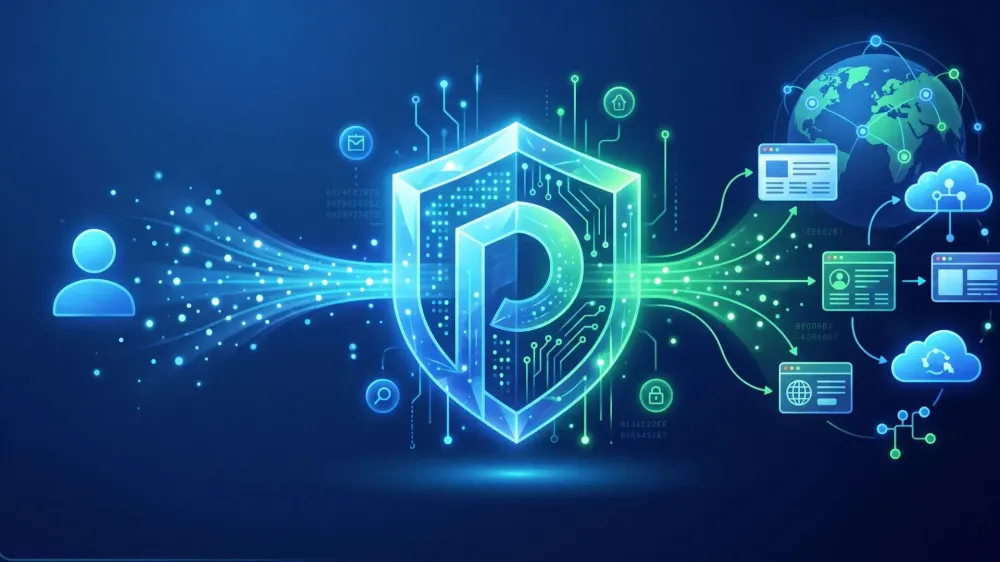
Simply put, a proxy (or proxy server) is a computer or software that acts as an intermediary between you (the user) and the internet.
Imagine you are in a restaurant and want to order food. You don't go directly to the kitchen to cook or pick up the food yourself, right? You ask the waiter for help. That waiter conveys your order to the kitchen, takes the food, and brings it back to your table. In the digital world, this waiter is called a Proxy.
So, when you browse the internet using a proxy, the websites you visit won't see your device's original "identity," but rather the identity of the proxy.
How Does a Proxy Work?
Normally, you type a website address and your browser connects directly to that website. The workflow changes slightly when you use a proxy. Here's the sequence:
- You send a request: You type a website address (e.g.,
google.com) in your browser. - Stop at the Proxy: Your request doesn't go directly to Google but is sent to the proxy server first.
- Proxy forwards the request: The proxy server changes or hides your original IP address and then forwards the request to the destination website.
- Website responds: The destination website sends the requested data back to the proxy.
- Data reaches you: The proxy checks the data (ensures it's safe) and then forwards it to your browser.
The result? You can view the website's content without the website owner knowing who you really are.
Functions of Proxy in Internet Use
Why do people bother using a proxy? It turns out there are many functions for our internet activities:
- Hide IP Address: This is the main function. Your IP address (your digital identity) will be hidden and replaced with the proxy's IP for security.
- Access Restricted Websites: If a site is blocked in your region (geoblocking) or blocked by your campus/office, a proxy can help bypass those restrictions.
- Enhance Privacy: Because your original IP is hidden, your digital footprint is harder for advertisers or third parties to track.
- Caching (Save Bandwidth & Speed Up Connection): Proxies can store copies of frequently visited web pages (caching). So when you visit the same site again, the proxy just gives you the saved data without needing to download it again from the internet.
- Access Control (Filtering): On the flip side, companies or parents can use proxies to block certain websites (like social media or adult sites) from being accessed on their network.
Types of Proxies You Need to Know
There are many types of proxies, depending on the technology and how they handle your data. Here are some of the most common ones:
- HTTP Proxy: Specifically for processing web data traffic (HTTP). Suitable for regular browsing or opening web pages that don't require super tight security.
- HTTPS Proxy: Similar to HTTP, but equipped with SSL encryption. So data passing through is more secure from snooping.
- SOCKS Proxy: More flexible than HTTP/HTTPS because it can handle all types of data traffic, including online gaming, streaming, or torrent downloading.
- Transparent Proxy: A proxy that doesn't hide your identity at all. Usually used by schools or offices only to filter content or save bandwidth.
- Anonymous Proxy: This proxy hides your original IP, but the websites you visit still know you're using a proxy.
- Residential Proxy: A proxy that uses real IP addresses from internet service providers (ISPs) for households. This type is very secure because it looks like a regular internet user and is rarely blocked by websites.
- Datacenter Proxy: A proxy whose IP comes from a data center (cloud/developer server). Its advantages are speed and low cost, but it's easier to detect and block by smart websites.
Advantages of Using a Proxy
- Extra Privacy: Helps keep your online identity confidential.
- Free Browsing: Can access content or movies only available in other countries.
- Network Efficiency: Thanks to caching, browsing on office or school networks can feel faster.
- Basic Security: Can block malware or phishing sites before they reach your device.
Disadvantages and Risks of Using a Proxy
Remember, nothing is perfect. Proxies also have downsides:
- Connection May Slow Down: Because data has to "stop" at the intermediary server first, loading times can become longer.
- Data Can Be Monitored by Proxy Owner: This is the danger of using random proxies. The proxy owner can see what you're doing and could even steal your passwords if they are malicious.
- Not as Secure as VPN: Most proxies don't encrypt all your device's traffic, only data from the browser.
- Free Proxies Are Very Risky: Many free proxies are actually filled with annoying ads, malware, or are used to steal user data.
Difference Between Proxy and VPN
Many people often confuse proxies with VPNs. To avoid confusion, here's a quick comparison:
| Feature | Proxy | VPN (Virtual Private Network) |
|---|---|---|
| Scope | Usually works only at the application level (e.g., browser only). | Works at the operating system level (all applications are protected). |
| Encryption | Most don't encrypt data (except certain HTTPS/SOCKS). | Encrypts all traffic end-to-end. |
| Security | Standard/Medium. | Very High. |
| Speed | Usually faster (because without heavy encryption). | Slightly slower due to complex data encryption processes. |
When Should You Use a Proxy?
You don't need to turn on a proxy all the time. But a proxy becomes very useful in these situations:
- Anonymous Browsing: When you want to read news or search for information without being tracked by advertising algorithms.
- Website Testing: For web developers who want to test how their website looks when accessed from another country.
- Legal Data Scraping: Collecting public data from the internet for business research without worrying about the office IP being blocked for spamming.
- Office Access Management: Helping managers or IT teams control what employees can access during work hours.
- Access Location-Based Content: Watching videos or content that is deliberately banned in the country you live in.
Tips for Choosing a Safe Proxy
If you decide to use a proxy, don't just pick any! Follow these tips to keep your data safe:
- Choose a Trusted Provider: Look for proxy service providers with a good reputation and positive reviews from other users.
- Avoid Free Proxies: Remember the internet rule: "If the product is free, then you are the product." It's better to pay a little than to have your personal data sold.
- Check Speed and Server Location: Choose a proxy server that is closest to your target website's location to avoid lag.
- Check Privacy Policy (No-Log Policy): Ensure the proxy provider has a strict policy that they will not record or store your browsing history.
Conclusion
Proxy is a useful intermediary tool for enhancing privacy, saving bandwidth, and bypassing internet restrictions. However, a proxy is not an absolute shield that makes you immune to all cyber threats.
Use proxies wisely, choose a safe provider, and if you need high-level security for financial transactions or sensitive data, consider upgrading to a VPN. Stay safe on the internet!