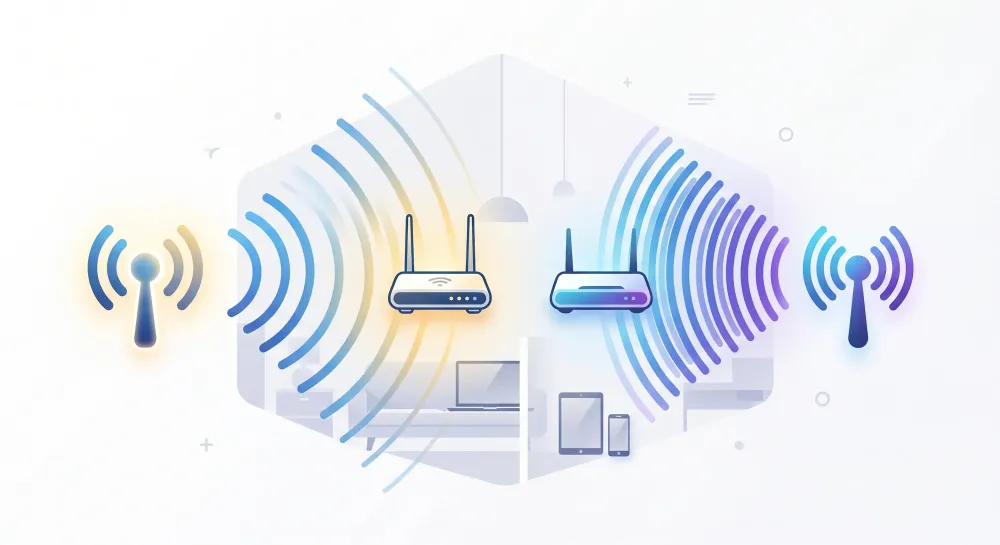
If you have ever seen two WiFi network options like WiFi 2.4G and WiFi 5G, you might be wondering what the difference is.
Simply put, WiFi 2.4 GHz has a longer range, while WiFi 5 GHz offers higher speeds.
Both have their own advantages, so it doesn't mean 5 GHz is always better than 2.4 GHz.
What Is WiFi 2.4 GHz?
WiFi 2.4 GHz is a WiFi network that uses a frequency around 2.4 GHz.
This frequency has been used for a long time and is supported by almost all WiFi devices, from smartphones, laptops, CCTV, smart TVs, to various smart home devices.
The main advantage of WiFi 2.4 GHz is its wider range and better ability to penetrate walls.
Therefore, this network is suitable when the device is located quite far from the router.
For example, the router is in the living room, while you use WiFi from a bedroom separated by several walls. In such conditions, WiFi 2.4 GHz can usually still provide a fairly stable signal.
However, WiFi 2.4 GHz speeds are generally lower compared to 5 GHz.
The 2.4 GHz frequency is also quite crowded because it is used by many other devices, making it more prone to disturbances or interference.
What Is WiFi 5 GHz?
WiFi 5 GHz uses a higher frequency compared to 2.4 GHz.
Its main advantages are higher data transfer speeds and lower interference.
Therefore, WiFi 5 GHz is very suitable for activities that require a fast connection, such as:
- Streaming Netflix or YouTube
- Video calls
- Online gaming
- Downloading large files
- Smart TVs
- Laptops and smartphones
If the device is close to the router or access point, WiFi 5 GHz usually provides a faster internet experience.
The downside is that its range is not as far as 2.4 GHz.
5 GHz signals also weaken more easily when having to pass through walls, especially concrete walls or multiple rooms at once.
Differences Between WiFi 2.4 GHz and 5 GHz
Here is a simple comparison:
| Comparison | WiFi 2.4 GHz | WiFi 5 GHz |
|---|---|---|
| Speed | Lower | Higher |
| Range | Farther | Shorter |
| Wall penetration | Better | More difficult |
| Interference | More | Less |
| Suitable for distant devices | Yes | Less ideal |
| Suitable for streaming | Adequate | Very suitable |
| Older devices | Almost all support it | Not all older devices support it |
Which Is Faster, 2.4 GHz or 5 GHz?
If we only compare speed, WiFi 5 GHz is faster.
For example, if you are in the same room as the router, the 5 GHz network can usually provide higher speeds than the 2.4 GHz network.
But the situation can be different if you are far from the router.
For example:
Router → wall → room → wall → room
In such conditions, the 5 GHz signal can drop quite significantly.
WiFi 2.4 GHz might actually provide a more stable connection because of its better range capability.
So, WiFi speed is not only determined by the frequency, but also by distance and building conditions.
Which Is Better at Penetrating Walls?
For passing through walls, WiFi 2.4 GHz is superior.
Its lower frequency makes it easier for the signal to reach other rooms.
Meanwhile, WiFi 5 GHz more easily loses signal strength when passing through obstacles such as:
- Concrete walls
- Concrete floors
- Thick doors
- Large cabinets
- Multiple rooms at once
Therefore, don't be surprised if the 5 GHz signal looks full when near the router but drops quite drastically after moving a few rooms away.
When Should You Use WiFi 2.4 GHz?
Use WiFi 2.4 GHz when the device is quite far from the router or does not require very high-speed internet.
This network is suitable for:
- CCTV
- Smart locks
- Smart switches
- WiFi printers
- IoT devices
- Smartphones located far from the router
- Devices in outdoor areas
- Older devices that don't support 5 GHz
For devices like CCTV or smart home, connection stability is usually more important than high speed.
Therefore, 2.4 GHz is often the more suitable choice.
When Should You Use WiFi 5 GHz?
Use WiFi 5 GHz if the device is close enough to the router or access point and requires a fast connection.
For example for:
- Laptops
- Smartphones
- Smart TVs
- 4K video streaming
- Video conferencing
- Gaming
- Downloading and uploading large files
For daily use at home, villa, office, or hotel, 5 GHz usually provides a more comfortable experience as long as the coverage is good.
Can You Use 2.4 GHz and 5 GHz Together?
Yes.
In fact, modern routers usually already support dual-band, which is 2.4 GHz and 5 GHz simultaneously.
You may have seen networks like:
Home_WiFi_2.4GHome_WiFi_5G
There are also routers that use a single WiFi name for both frequencies. The router or access point will then direct the device to the most suitable network.
This feature is usually known as band steering.
For Large Houses, Villas, or Hotels, What Should You Use?
For large buildings, it's best not to rely solely on a single router with a very strong signal.
A more effective way is to use multiple access points in several areas.
For example:
Internet / Router
        ↓
Access Point Living Room
        ↓
Access Point Bedroom Area
        ↓
Access Point Floor 2
        ↓
Access Point Pool / Outdoor
This way, devices don't need to pick up WiFi from a router that is too far away.
WiFi 5 GHz can also be used more optimally because the distance from the device to the access point becomes closer.
Use the Same WiFi Name
If using multiple access points, you should use the same SSID or WiFi name.
For example:
Villa Bumi
Not:
Villa Bumi Living RoomVilla Bumi BedroomVilla Bumi Upstairs
With the right network configuration, smartphones or laptops can automatically move from one access point to another as the user moves between rooms.
This makes the WiFi experience much more comfortable.
So, Should You Choose WiFi 2.4 GHz or 5 GHz?
You don't have to choose one.
For modern use, the best choice is to use both.
Use 2.4 GHz for wider range and IoT devices, while 5 GHz for devices that need faster connections such as smartphones, laptops, and Smart TVs.
If your house or villa has many rooms and concrete walls, adding several access points is usually more effective than just replacing the router with a more powerful device.
In short:
- 2.4 GHz = longer range
- 5 GHz = faster connection
If both are combined with proper access point placement, the WiFi network will be much faster, more stable, and more comfortable to use.