The development of laptops lately has indeed been accelerating rapidly, especially since artificial intelligence (AI) technology began to be embedded directly into processors. Acer doesn't want to miss out on this moment by releasing a line of modern laptops designed for daily work needs and intensive productivity, one of which is the Acer Aspire 16 AI.
This laptop comes as the answer for those of you who need a work device with a spacious screen, responsive performance, and excellent power efficiency thanks to the integrated Neural Processing Unit (NPU). If you are looking for a new laptop that is ready to embrace the AI era without breaking the bank, let's check out the full review below!
Minimalist Design with a Very Spacious 16-Inch Screen
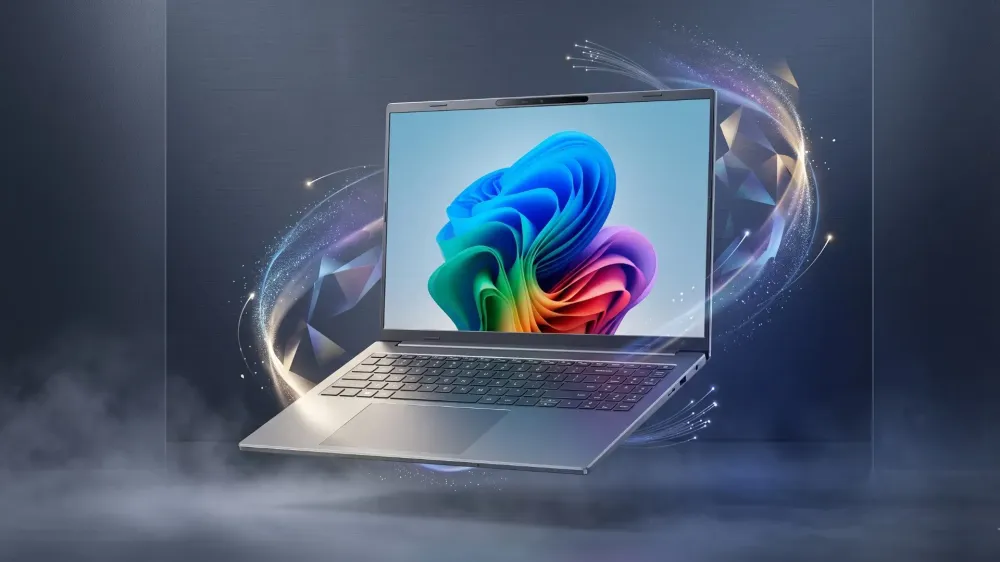
One thing that immediately catches the eye when first seeing the Acer Aspire 16 AI is the screen size. This laptop carries a 16-inch panel that feels very spacious for multitasking. Opening two or three application windows side by side doesn't feel cramped at all.
Even though the screen size is quite large, Acer has managed to design this laptop's body to remain compact and elegant. The body profile is made quite thin with a weight that is still comfortable to carry in a backpack. The body color finish also looks clean and professional, suitable for office meetings or hanging out while working at a café.
The 16-inch screen it carries uses a 16:10 aspect ratio. This ratio provides extra vertical space compared to the traditional 16:9 ratio, so you don't have to scroll too often when reading documents, editing spreadsheets, or browsing long articles. The visuals produced are clear with wide viewing angles, making watching movies or light photo editing even more enjoyable.
Fast Performance and Assistance from Advanced AI Features
Moving to the engine room sector, the Acer Aspire 16 AI is equipped with the latest generation processor specifically designed to handle AI-based computing efficiently. The presence of a dedicated NPU in the processor is tasked with processing various AI tasks independently without burdening the main CPU or GPU performance.
What impact does this have on daily use? A lot! When you use AI features such as background blur effects on video calls, microphone noise reduction, or automatic image processing, the laptop continues to run smoothly without experiencing performance degradation or overheating.
For standard activities such as typing documents, opening dozens of browser tabs, streaming music, and processing data in Excel, everything can be handled with great ease. Large RAM capacity support and fast NVMe SSD storage make Windows booting and opening applications feel instant without annoying delays.
In addition, this laptop is also equipped with a dedicated Copilot button on the keyboard. With just one press, you can immediately call up the AI assistant to help compose document summaries, draft emails, find writing ideas, and complete other routine tasks quickly.
Typing Comfort and a Soft Keyboard
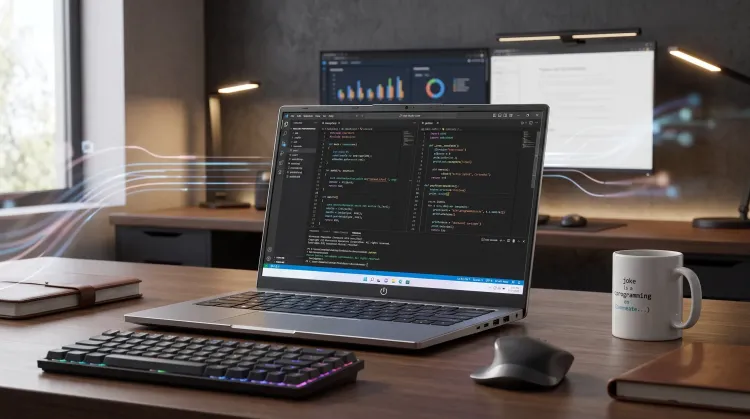
As a laptop intended for productivity, the keyboard and touchpad sectors are certainly a main concern. The Acer Aspire 16 AI carries a full-size keyboard complete with a comfortable navigation key area.
The travel distance on the keys feels just right and responsive when pressed, providing a soft typing experience and not making your fingers tired quickly even when used for typing long texts all day. This keyboard is also equipped with a backlight that is very helpful when you have to complete work in a dim or dark room.
Below the keyboard, there is a fairly large touchpad area that already supports Windows multi-touch gestures. The cursor movement response is very accurate and smooth, so you don't always have to rely on an external mouse when working on the move.
Battery Life and Efficient Cooling System
The classic problem of laptops with large screens usually lies in wasteful battery power consumption. However, the energy efficiency of the Acer Aspire 16 AI is considered very good thanks to modern processor optimization and AI-based power management.
In normal use such as browsing, processing documents, and occasionally streaming videos, this laptop can last all day without needing to be constantly plugged into a power outlet. This efficiency is clearly a plus for those of you who often work outside the home or move between meeting rooms.
To keep temperatures stable, Acer has embedded an optimal cooling system inside the body. The cooling fan works intelligently, adjusting to the workload currently in progress. When used for light tasks, the fan runs very quietly so it doesn't disturb concentration. When subjected to heavy work, heat dissipation remains orderly and the palm rest area still feels cool to the touch.
Complete Connectivity Without Needing Many Adapters
Although it carries a fairly modern and slim design, Acer does not cut back on the availability of physical ports on this laptop. You still get a row of important ports that are very useful for supporting daily work:
- USB-C / Thunderbolt Port: Supports fast charging, high-speed data transfer, and output to external monitors.
- USB-A Port: Available for connecting standard peripheral devices such as wired mice, flash drives, or external keyboards.
- HDMI Port: Makes it easy for you when you want to connect the laptop to a projector or TV during presentation sessions.
- 3.5mm Audio Combo Jack: For plugging in your favorite headphones or headset.
Its wireless connectivity is also supported by the latest generation Wi-Fi technology which offers more stable internet speeds and low latency, as well as Bluetooth for easily connecting various wireless accessories.
Complete Specification Table of Acer Aspire 16 AI
Here are the technical specifications of the Acer Aspire 16 AI that you need to know:
| Component | Technical Specifications |
|---|---|
| Processor | Intel Core Ultra / AMD Ryzen AI Series (depending on variant) |
| NPU | Integrated (Up to 40+ TOPS for AI processing) |
| Graphics | Integrated Intel Arc Graphics / AMD Radeon Graphics |
| Display | 16-inch IPS, WUXGA resolution (1920 x 1200), 16:10 aspect ratio, Acer ComfyView |
| Memory (RAM) | Up to 16 GB / 32 GB LPDDR5X Dual-Channel |
| Storage | Up to 1 TB PCIe Gen4 NVMe SSD |
| Operating System | Windows 11 Home + Microsoft Office Home & Student |
| Webcam | 1080p FHD Webcam with Acer PurifiedView AI & Temporal Noise Reduction features |
| Audio | Dual Speakers with Acer PurifiedVoice AI Noise Reduction |
| Wireless Connectivity | Wi-Fi 6E / Wi-Fi 7, Bluetooth 5.3 |
| I/O Ports | 2x USB Type-C (Supports DisplayPort & Power Delivery), 2x USB 3.2 Gen 1 Type-A, 1x HDMI 2.1, 1x 3.5mm Audio Jack |
| Battery | 3-cell Li-ion, endurance up to 10-12 hours of normal use |
| Weight | Approximately 1.8 kg |
| Color | Steel Gray / Silver |
Conclusion: Is This Laptop Right for You?
The Acer Aspire 16 AI is an attractive choice in the modern versatile laptop class. The combination of a spacious 16-inch screen, comfortable keyboard, long battery life, and integrated AI processing makes this laptop very ready to be used for present and future needs.
This laptop is very suitable for:
- Professionals & Office Workers: Who need a large screen for processing spreadsheets, long documents, and presentations without getting tired.
- University & School Students: Who are looking for a tough device for final projects, research, and daily use with long battery life.
- Beginner Content Creators: Who often do light photo editing, article writing, or social media management.
With all the advantages and specifications offered, the Acer Aspire 16 AI deserves to be on your priority list if you are hunting for an efficient and advanced all-around work laptop!