Apple has just made a huge splash in the tech world by releasing their latest generation Mac mini. Its form is now much smaller, roughly the size of an Apple TV box, but its power is not to be underestimated. At this launch, Apple directly offered two processor options at once: the regular M4 and the M4 Pro.
If you're planning to buy a new computer, you've probably felt confused about which one to choose. Especially when looking from the outside, the physical shape of these two tiny computers is exactly the same and there's no difference. Well, in this article we will thoroughly discuss the fundamental differences between these two machines. The goal is so you don't make the wrong choice, don't waste money, and of course it matches your daily work needs.
Exactly the Same Exterior Design
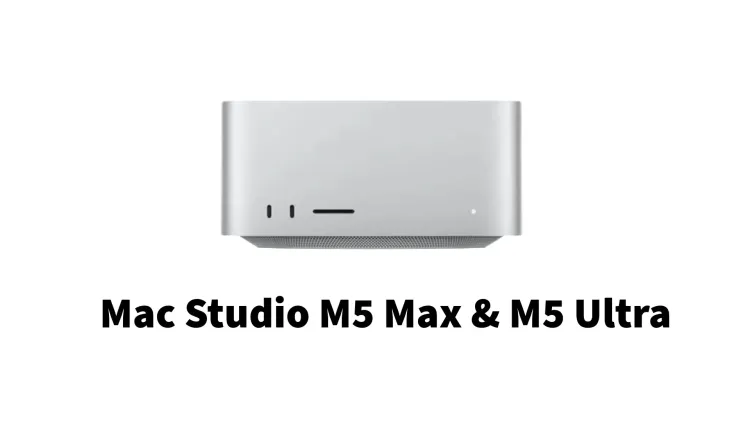
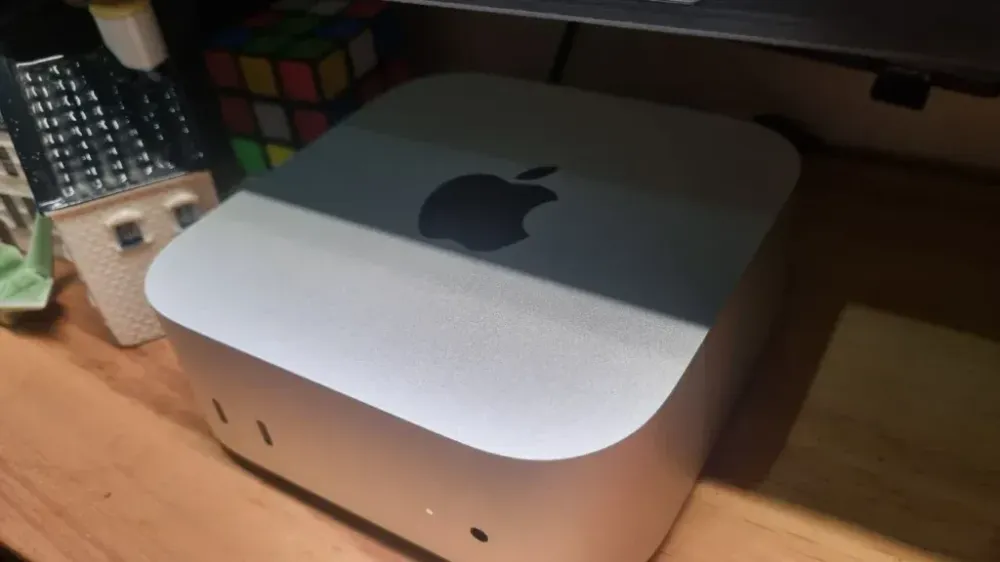
When it comes to physical appearance, you are guaranteed not to find any difference between the Mac mini M4 and M4 Pro. Both carry a new, super compact and elegant design. Their size has shrunk drastically compared to the previous Mac mini generation. These computers will definitely not take up much space on your desk.
Now the power button has been moved to the bottom of the device. And the coolest part, there is now a row of ports on the front. This is a change that many people have been waiting for. You no longer have to fumble around the back of the computer just to plug in a flash drive or phone charger cable. So, if you buy the Pro version or the regular version, the person next to you won't know the difference just by looking from the outside.
Machine Performance and Processor
This is where the main differences lie. The regular M4 chip is actually already very fast and reliable for daily routines. If you only use the computer for typing documents, making presentations, opening dozens of tabs in a web browser, or just watching high-resolution movies, this M4 chip is more than enough. Even if you want to do light video editing for social media content like TikTok or Instagram, the M4 machine can still handle those tasks very smoothly.
On the other hand, we have the M4 Pro, which is like a monster deliberately trapped in a small box. The M4 Pro is specifically created for true professionals. By professional, we mean people whose jobs require very heavy computing power every day. For example, you are a video editor who often edits 4K or even 8K videos with many complex visual effects. Or maybe you are a programmer who frequently compiles large amounts of code. 3D designers who need super-fast rendering times will also benefit greatly. The M4 Pro has a much higher number of processor cores, so its speed can be up to twice as fast as the regular M4 when used for heavy work.
RAM and Storage Capacity
There is very good news for Apple product fans this year. Apple has finally abandoned their old habit of always providing 8GB of RAM. The cheapest variant of the regular Mac mini M4 now comes with 16GB of RAM. This is a very suitable and comfortable capacity standard for using applications nowadays. This RAM capacity can still be increased up to a maximum of 32GB if you are willing to pay extra at initial ordering. For data storage, the regular version starts at 256GB.
So what about the M4 Pro version? This expensive variant starts with a much higher standard, with a built-in RAM of 24GB. This capacity is very generous and will certainly keep your computer from slowing down easily, even if you open many heavy applications simultaneously. If you happen to have a large budget, the RAM on the M4 Pro can be increased up to a maximum of 64GB. The minimum storage is also larger, starting directly at 512GB and can be maxed out up to a massive 8TB capacity. There is one important thing you must always remember: you absolutely cannot disassemble and add RAM or storage yourself after purchasing this computer. So you have to think carefully about your capacity choices from the start.
Connectivity and Ports on the Back
As we discussed a bit above, there are ports on the front consisting of two USB-C ports and one audio jack for earphones. The speed difference between these two devices will only be clearly visible at the back. The regular Mac mini M4 is equipped with three Thunderbolt 4 ports. Its data transfer speed is already very fast, and this is very suitable for moving large files to your daily external hard drive.
But the Mac mini M4 Pro takes a much more advanced technological step. This computer is equipped with three ports that already use Thunderbolt 5 technology. This is a very new standard whose data transfer speed can reach twice as fast as the previous generation. If you often work with studio-grade external storage or need to connect advanced recording equipment that requires super high bandwidth, this Thunderbolt 5 feature will be very beneficial. Aside from that difference, both types of Mac mini still kindly provide a standard HDMI port and an Ethernet port for a more stable network.
Ability to Connect Additional Displays
For those of you who are used to and like working with multiple monitors at once, both Mac minis have impressive capabilities. The regular Mac mini M4 can support up to three screens simultaneously. In detail, this computer can handle two 6K resolution displays plus one 5K resolution display. This is already a very luxurious visual capability for an average computer user.
Meanwhile, the M4 Pro also supports up to three external displays simultaneously with more extreme quality. The difference is that the M4 Pro can handle monitors with much higher resolution and refresh rates without issues. The M4 Pro can be connected to one giant display with 8K resolution. You can also connect it to a 4K resolution display but with a very high refresh rate of up to 240Hz. Such extra capabilities are usually highly sought after by gamers or video color specialists who need the smoothest visual accuracy without lag.
The Crucial Factor: Price
This is usually the point that gives many people a headache: talking about budget or price. The regular Mac mini M4 is sold at a very tempting price. With built-in RAM of 16GB, its starting price is far more affordable compared to any Apple laptop model on the market today. This automatically makes the Mac mini M4 the most worthy desktop computer to buy. This computer is very suitable for students, office workers, or just as a family home computer.
On the other side, the Mac mini M4 Pro has a selling price that can skyrocket. Because the machine specifications are indeed designed for heavy workloads, the price of the Pro variant can reach double the price of the standard version. Not to mention if you want to add RAM or storage capacity when ordering on their official site. The amount can swell drastically to the equivalent of buying a new motor vehicle.
Comparison Table: Mac Mini M4 vs Mac Mini M4 Pro
| Feature and Specification | Standard Mac mini M4 | Mac mini M4 Pro |
|---|---|---|
| Processor Chip | Apple M4 | Apple M4 Pro |
| Max CPU Cores | 10 Cores | 14 Cores |
| Max GPU Cores | 10 Cores | 20 Cores |
| Default RAM Capacity | 16 GB | 24 GB |
| Maximum RAM | 32 GB | 64 GB |
| Initial Data Storage | 256 GB | 512 GB |
| Maximum Storage | 2 TB | 8 TB |
| Rear Thunderbolt Ports | 3 Thunderbolt 4 ports | 3 Thunderbolt 5 ports |
| External Display Support | Up to 3 Displays | Up to 3 high-resolution Displays |
| Data Transfer Speed | 40 Gbps | 120 Gbps |
| Suitable Users | Students, office workers, home users | Video editors, designers, professional class |
Final Conclusion: Which One to Choose?
So, after reading all the comparisons above, which device should you choose? If you are an average computer user who needs a machine for daily activities, such as doing college assignments, completing office reports, replying to emails, or just for entertainment at home with your beloved family, then the regular Mac mini M4 is the smartest choice. Its price is very wallet-friendly, its performance is very agile, and the 16GB RAM capacity is very safe to keep the computer responsive for years to come. You don't need to waste more money on features you may never use to their full potential.
But it's a different story if the computer is a primary money-making tool for you. For example, you work in the creative industry that demands speed, a visual effects specialist, or a professional musician who needs absolute silence and stability. Then buying the Mac mini M4 Pro is a very accurate work investment step. In the professional world, time is money. The M4 Pro device will definitely save you many hours of work every day. All that efficiency can be realized thanks to its ferocious processor performance and cutting-edge connectivity technology.
Make sure you match your new computer choice with your financial situation and daily work type. Don't let mere prestige make you buy the Pro version even though the computer will only be used for typing regular documents. Happy weighing your options, and hopefully this article can help you craft the most satisfying buying decision.
Confused about choosing between the standard Mac Mini M4 or the M4 Pro? Find a full comparison of specifications, machine performance, and prices at wilanpedia.com so you don't buy the wrong one.