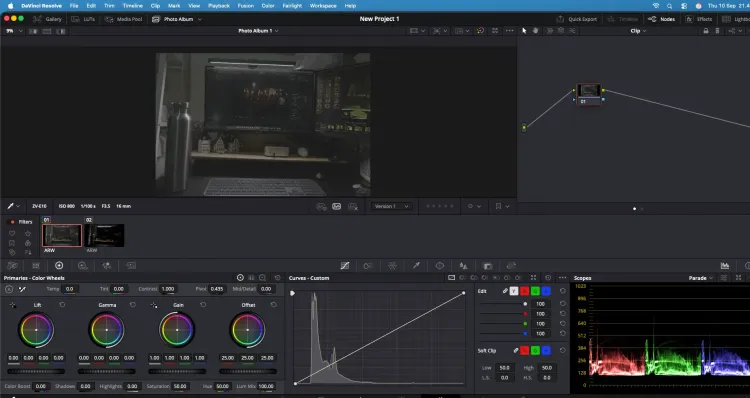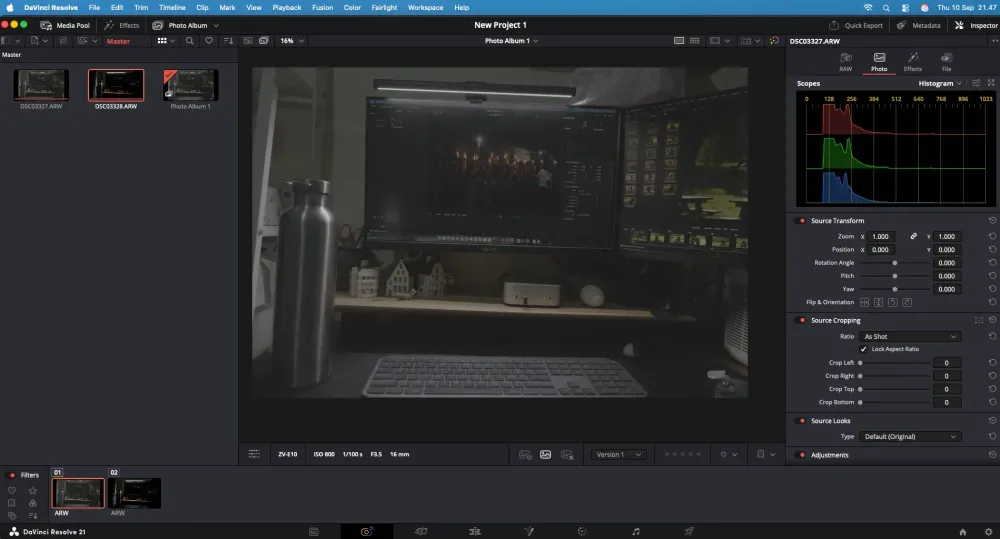
DaVinci Resolve has long been known as one of the best video editing and color grading software. In DaVinci Resolve 21, Blackmagic Design has brought quite a major change: Resolve is now not only for video, but also features dedicated capabilities for photo editing.
New Photo Page Added
The most exciting feature in DaVinci Resolve 21 is the introduction of the Photo Page.
This page is specially designed to manage and edit photos directly inside DaVinci Resolve. Thus, the color grading tools typically used for video can now be applied to photos as well.
Users can perform various adjustments such as:
- Color correction and color grading
- Curves and color adjustments
- Crop, rotate, zoom, and composition adjustments
- Facial and skin retouching
- Applying various Resolve FX
- Managing photo collections or albums
Cropping and transforming processes are also non-destructive, ensuring original photo files remain safe and adjustments can be modified at any time.
Resolve's Color Grading Tools Can Now Be Used for Photos
This is perhaps the most exciting part for users already familiar with DaVinci Resolve.
The Photo Page is integrated with Resolve's node-based color grading system. This means users can utilize tools like primary correction, curves, qualifiers, Power Windows, and nodes to achieve more detailed photo coloring.
For photographers who enjoy creating cinematic tones or performing complex grading, this feature can be an appealing alternative instead of switching between different applications.
AI to Assist with Photo Editing
DaVinci Resolve 21 also introduces more AI-powered features.
One of them is IntelliSearch, which helps find photos based on image content such as objects, people, or colors. There is also a feature for facial refinement along with various other AI tools.
Features like Magic Mask and Depth Map can also be used to separate objects, backgrounds, foregrounds, or specific parts of a photo, making the editing process much more flexible.
Photos and Videos in a Single Software
The biggest advantage of the Photo Page is not just the ability to edit photos.
Because everything is within DaVinci Resolve, edited photos can be used directly in the Cut, Edit, Color, or Fusion Page without the hassle of exporting and importing to other software.
This is extremely useful for content creators who handle both photography and videography on a daily basis.
DaVinci Resolve Becomes Even More Complete
With the introduction of the Photo Page, DaVinci Resolve 21 evolves further from a video editing software into a more comprehensive creative application.
Now users can perform video editing, color grading, motion graphics, VFX, audio post-production, and photo editing all within a single software.
The DaVinci Resolve 21 version remains available as a free option, while DaVinci Resolve Studio 21 offers additional features and more complete tools. The differences are summarized in the advantages of DaVinci Resolve Studio compared to the free version.
To download the DaVinci Resolve 21 application, you can visit the official DaVinci Resolve website by Blackmagic.