Have you ever imagined having a personal assistant that works twenty-four hours a day, seven days a week, without ever complaining of fatigue? Lately, the tech world has been buzzing about a new innovation called OpenClaw. If you've been following the developments in artificial intelligence or AI early this year, this name must have crossed your social media timeline quite often.
But what exactly is OpenClaw, and why does everyone seem to be racing to install this system on their computers? In this article, we'll thoroughly discuss this revolutionary AI agent in everyday language that's easy to understand, without confusing technical terms. Let's jump right in!
What Actually is OpenClaw?
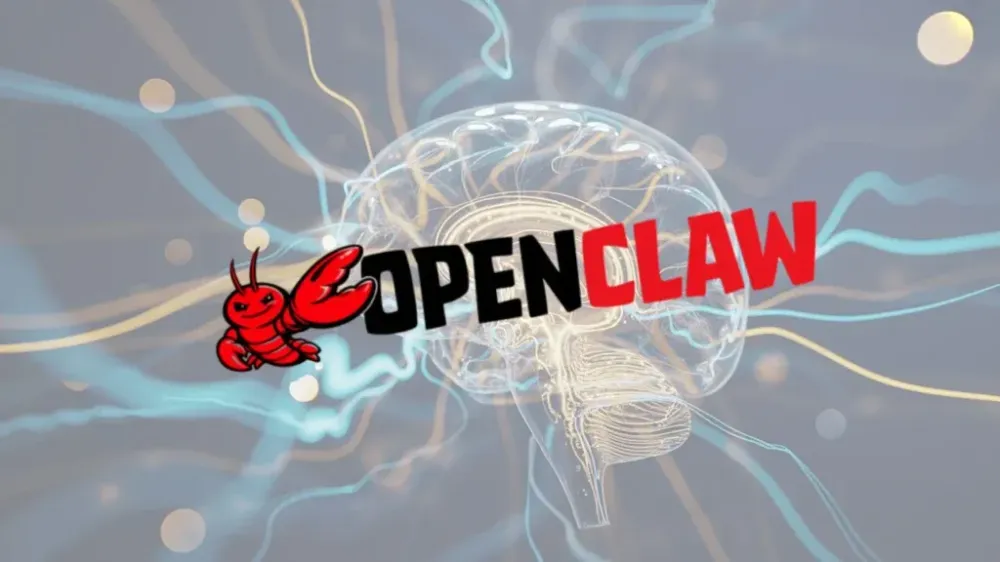
OpenClaw is essentially an open-source autonomous AI agent specifically designed to be a full-fledged digital personal assistant. While we've been used to conventional chatbots like ChatGPT, Gemini, or Claude that only answer questions via text, OpenClaw takes a much more advanced step. Not only can you chat with it, but it literally "has hands" to perform real actions directly on your computer.
To give you a better picture, imagine this scenario. You could ask OpenClaw via WhatsApp or Telegram with a simple sentence, "Please check my email inbox today, reply to the client's email politely, then add the meeting schedule to Google Calendar." OpenClaw would immediately execute that series of tasks independently without you having to open any email or calendar application at all.
This system can move the mouse cursor, type text, open programs, and interact with various interfaces as if there were a real human sitting in front of your computer screen. Truly like magic, right?
Why Did OpenClaw Suddenly Go Viral and Become Highly Sought After?
The AI trend is indeed undergoing a major shift from just "smart chatbots" to "intelligent agents that can work on their own." OpenClaw went viral because this project successfully broke the barriers that were previously locked tight by tech giants. Due to its open-source nature, OpenClaw gives absolute freedom to all its users. You no longer have to be trapped in a closed ecosystem owned by a single company.
Another main reason why this project exploded in the tech community is the issue of privacy and data control. Currently, many people are hesitant to give access to their personal data to commercial AI assistants for fear of misuse or being sold to third parties. By using OpenClaw, all conversation context, memory, and data history are stored locally on your own computer or on a private VPS server that you specifically rent.
You have full control over what this AI assistant can and cannot access. It's like having a loyal servant who lives in your own home, not a servant from an outside agency that has to report back to its parent company every time it completes a task.
Key Features and Capabilities That Are Astounding
OpenClaw's capabilities are truly beyond reason when compared to AI standards from a few years ago. Here are some standout features that make it so popular:
First, this assistant has continuous memory. That means OpenClaw can remember all conversations and details of tasks you've given from weeks ago. You no longer have to bother repeating instructions or providing context from scratch every time you ask for help.
Second, OpenClaw strongly supports a plugin system or additional skills often referred to as "Skills." Through its large and active community, many developers create new skills for this agent. There are specific skills for reading calendars, managing email inboxes, interacting with GitHub systems, and even skills to help monitor stock and crypto price movements automatically. All can be swapped in and out and customized purely to your daily needs.
Third, OpenClaw has a very down-to-earth and user-friendly interface. You don't need to open a heavy special application to get it working. Simply connect this system with everyday messaging apps you already use like WhatsApp, Discord, Slack, or Telegram. As a result, you can give commands while lounging comfortably holding your phone, and your computer at home will immediately get to work completing the task.
How Does OpenClaw Work Technically?
Technically, OpenClaw uses existing large language models as the main "brain" to process instructions and plan actions. You can connect it to the API of super-smart giant models, or even use a local model running on your own machine if the specifications are sufficient.
Once its brain receives instructions from you, the agent breaks them down and translates them into sequential logical steps. For example, if you ask it to find cheap flight tickets for the year-end holiday. It will automatically open a web browser, type the airline website address, search for the route you requested, extract price information, and then send a summary directly to your Telegram.
This execution architecture runs carefully, ensuring one step is completed before moving to the next. If it fails mid-way, it is smart enough to redesign its strategy and try alternative methods.
Challenges, Security Risks, and How to Address Them
Of course, giving such broad access to artificial intelligence into our computer systems is not a step without risks. Security is the number one issue when talking about autonomous AI agents that can move freely. What if it mistakenly clicks and accidentally deletes a very important work file? Or worse, what if an irresponsible party sends hidden instructions via email that could make this agent leak your personal data?
That's why early OpenClaw users are usually very cautious and never install it directly on their main work laptop. The best practice strongly recommended by the community is to run OpenClaw in a completely isolated environment. You can use container technology like Docker, virtual machine systems, or rent a dedicated VPS cloud server. With such preventive measures, even if the AI agent starts acting oddly or makes a fatal mistake, your main system and data remain safe without any disruption.
Apart from security issues, the installation process is currently still quite challenging for the average person. You have to be comfortable dealing with commands in a black terminal screen, setting up API keys, and doing some basic configuration. This system is not yet a ready-to-click product like typical smartphone applications.
The Future of AI Assistants Is in Our Hands
The presence of OpenClaw is very tangible proof that the future of AI technology will be highly personal and decentralized. We are rapidly moving towards an era where every individual has a personal operating system fully controlled by AI, where boundaries between applications gradually disappear entirely. You might no longer need to bother learning how to use dozens of different applications, because your personal assistant will operate them all for you behind the scenes.
Although it is still in the early stages of development and primarily used by software developers and hardcore tech enthusiasts, it won't be long before this ecosystem becomes more user-friendly for the general public. If you have free time and enjoy exploring the latest technology, trying to build your own personal assistant with this system is definitely a worthwhile investment of time. Happy exploring and get ready to welcome the true future of work automation!