
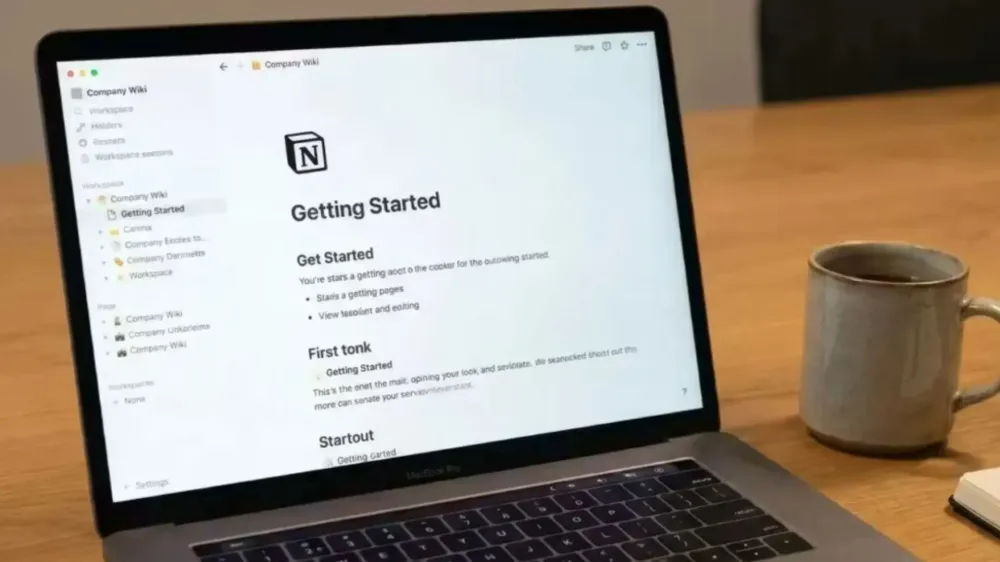
Who in this day and age doesn't know Notion? This all-in-one application has become like a new "religion" for the productive crowd. From making lecture notes, to-do lists, habit trackers, to company-scale project management, everything can be done in Notion.
But to be honest, sometimes Notion feels too overwhelming, making your head spin because of so many features. Not to mention if you're a perfectionist, intending to just write notes, you end up spending hours just to set up a template to make it look aesthetic.
Another issue that is often complained about by Notion users is the lack of a truly solid offline mode and the price. If the internet connection is bad or the Notion server is down, all our work is finished because the data cannot be accessed smoothly. Plus, the app sometimes feels heavy and slow if the database-nya is already too large.
Now, for those of you who are starting to feel "tired" of Notion and want to find a new atmosphere that is simpler, faster, or more privacy-secure, you are in the right article! Let's discuss the 6 best Notion alternative applications that you must try.
1. Obsidian: Heaven for Offline Mode and Data Security Lovers
If your main complaint with Notion is about the internet and slowness, you must get to know Obsidian. This app has a very different concept from Notion. While Notion stores your data in the cloud (their servers), Obsidian stores all your notes offline directly on your laptop or phone's memory.
What does that mean? Access is super fast and you don't need internet at all to open or edit notes. All files are stored in plain text format (Markdown), so even if the app shuts down 10 years later, your notes can still be opened using a regular Notepad app.
The coolest feature of Obsidian is the Graph View. The notes you make can be linked to each other, and later they will form a graphical visualization like a neural network of the human brain. Really cool for those of you who like writing articles, researching, or coding.
- Advantages: 100% offline, super lightweight, your data is entirely yours, developer-friendly Markdown format, and tons of community plugins.
- Disadvantages: The interface looks a bit stiff at first, takes time to learn Markdown syntax, and syncing between devices (phone to laptop) is a bit complicated if you want to use the free version.
- Suitable for: Programmers, writers, researchers, and people who really care about data privacy.
2. Microsoft Loop: Notion's "Twin" for Office Workers
Now, if you actually really like how Notion works (using the slash "/" system to bring up menus or blocks), but your office uses the Microsoft ecosystem, Microsoft Loop is the answer.
It can be said that Loop is Microsoft's direct answer to rival Notion. In terms of interface, it looks very similar. You can create pages, insert tables, task lists, and kanban boards. The difference is that Loop is directly integrated with other Microsoft 365 applications like Word, Excel, and Teams.
For example, you make a task table in Microsoft Loop, that table can be directly copy-pasted into a chat in Microsoft Teams or an email in Outlook. If a friend updates the table in an email, the table in Loop will be updated in real-time. Crazy, right?
- Advantages: Seamless integration with the Microsoft ecosystem, excellent real-time collaboration features, and free if you already subscribe to Microsoft 365.
- Disadvantages: Features not as complex as Notion (especially the database part which is still very basic), and the ecosystem is quite closed only to Microsoft products.
- Suitable for: Office workers, students, or teams whose daily basis-nya already use Microsoft products.
3. Coda: When Notion Meets Excel
Ever feel that the database and formula features in Notion are not sophisticated enough? If so, you should try Coda. This app is often compared to Notion because at a glance the functions are similar. However, Coda is like Notion given "steroids" in terms of data and automation.
Coda is much more powerful if you want to create complex systems. Its formulas are as powerful as Microsoft Excel or Google Sheets. You can create automations (e.g., if task A is completed, automatically send an email to B) directly in Coda without needing third-party apps like Zapier.
Additionally, interactive buttons in Coda make your document feel like a real application (app-like experience), not just a digital note sheet.
- Advantages: Super powerful database and formulas, great built-in automation features, and integration with many external apps (Packs).
- Disadvantages: A bit heavy when opened, and the learning curve is quite steep (harder to learn than Notion).
- Suitable for: Project managers, startups, and people who need large-scale data management and detailed tracking.
4. Anytype: "Notion Killer" Focused on Privacy
For those of you who really like Notion's visuals but hate that it must be online and data is on someone else's server, welcome Anytype. Since its release, this app has often been dubbed "The Notion Killer".
Anytype has a block-based interface that is very familiar to Notion users. You can create beautiful pages, insert images, tables, and databases. The difference is that Anytype is built with Web3 (decentralized) and local-first technology. That means your data is stored directly on your device and synced to other devices using a peer-to-peer system with god-level encryption.
In short: No one at Anytype company can peek at your notes. This is the sweet spot between the beauty of Notion and the security of Obsidian.
- Advantages: Maximum privacy (end-to-end encryption), can be used offline smoothly, modern and beautiful UI/UX, and the app is lightweight.
- Disadvantages: The concept of Objects and Types in Anytype is a bit different from Databases in Notion, so it requires a bit of logical adjustment at the beginning.
- Suitable for: Loyal Notion users who want to migrate to an offline app and really care about privacy security without sacrificing aesthetics.
5. Craft: Aesthetic Design that Pleases the Eyes (Especially Apple Users)
Notion is neat, but sometimes its design is boring. If you highly prioritize visuals and aesthetics when writing or creating documents, Craft is the champion. This app once won the Mac App of the Year award, so it's no wonder that its interface is very smooth.
Unlike Notion which is essentially a website wrapped into an app, Craft is a native app. That's why when you scroll, swipe, or open and close documents, the feel is fast, smooth, and has no delay at all. Creating documents in Craft feels like creating a digital magazine because it's so easy to arrange layouts and insert high-resolution images.
- Advantages: Best UI/UX in its class, super responsive and fast native app, easy to create documents ready to share with clients.
- Disadvantages: More focused on the Apple ecosystem (Mac, iPad, iPhone), the Windows or web version is not as great as the Mac version. The database features are also not as complex as Notion.
- Suitable for: Designers, freelancers, content creators, and loyal Apple users who need a beautiful and fast note-taking app.
6. Microsoft OneNote: Classic Digital Notebook That's Hard to Beat
It might feel strange to include OneNote in this list because the app looks old-fashioned. But don't be fooled, to this day, for pure note-taking, OneNote still reigns.
OneNote's concept truly mimics a physical binder notebook. There are Notebooks, Sections (colored dividers), and Pages. What makes OneNote different from Notion is its free-form canvas. You can type, insert images, or scribble with a stylus pen anywhere like a real blank paper. In Notion, everything must rigidly follow lines or blocks from top to bottom.
- Advantages: 100% Free (as long as you have a Microsoft account), seamless cross-device syncing, best handwriting features, and an easy-to-understand hierarchical structure.
- Disadvantages: The design is a bit old-school, does not have a database system like Notion, and is not suitable for project management.
- Suitable for: Students who like to take notes with a tablet, and anyone who just needs a place to dump ideas without worrying about formatting.
Conclusion: So Which One Should You Switch To?
Switching from Notion is not an easy task, especially if your data there has piled up. But choosing the right alternative can make your work much more effective:
- If you want full privacy, secure data, and fast offline mode, just install Obsidian or Anytype.
- If you need to work in a team and work on complex projects that require formulas, switch to Coda.
- If you are an office worker whose life is already surrounded by Word and Teams, Microsoft Loop is the most reasonable choice.
- And if you just want to take notes or dump ideas freely, going back to OneNote is not a bad idea.
No one app is perfect for everyone. Just try the free versions one by one, and feel which workflow best suits your daily habits. Good luck and may you be more productive!
Related Articles

Written by
Wilan
A regular contributor to Bali Island Tekno who actively shares knowledge about technology, programming, and the world of software engineering.